
Book Cover Design Tool — Create Covers That Increase Book Sales
KDP Magic is a professional book cover design tool for authors, self-publishers, and publishing teams who need ebook covers, paperback wraps, hardcover layouts, and audiobook artwork that look polished and export correctly.









Book Cover Design Tool Organized for Real Publishing Workflows
Designing a cover is not only about looking good. Your cover also needs the right dimensions, safe zones, spine width, bleed, file format, and marketing assets. KDP Magic keeps those publishing steps in one workflow.
Ebook Covers
Create clean, high-impact digital covers for Kindle, Apple Books, Kobo, Google Play Books, and direct sales pages.
Paperback Wraps
Build full wrap covers with front, spine, and back layout support for print-on-demand publishing.
Hardcover Layouts
Prepare premium cover artwork with platform-aware dimensions, bleed guidance, and print-ready output planning.
Audiobook Covers
Create square audiobook artwork for Audible-style listings, launch campaigns, and audio platform promotion.
Full Book Cover Design for Front, Spine, and Back
Use KDP Magic to turn one creative direction into a complete publishing cover layout. Build full wrap covers that feel professional before they reach Amazon KDP, IngramSpark, Lulu, or Barnes & Noble Press.

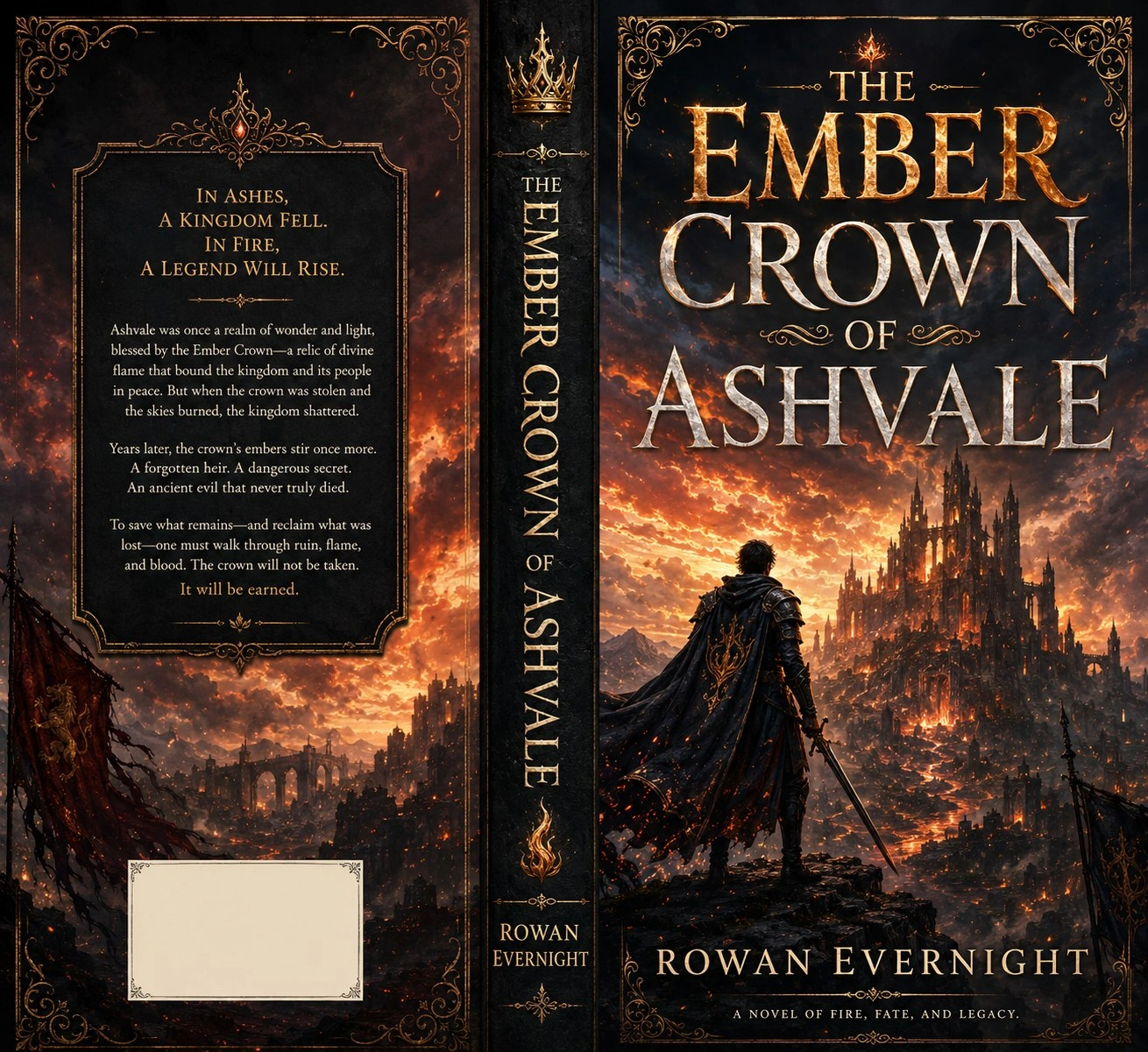

Create Single Covers That Look Strong in Search Results
Your cover has to win attention in a crowded marketplace. This book cover design tool helps you create title-first layouts, clear visual hierarchy, and market-ready cover concepts for fiction, nonfiction, journals, planners, children’s books, puzzle books, and author brands.
Start with AI cover concepts, customize the design manually, preview mockups, then resize for ebook, print, audiobook, and social promotion without rebuilding everything from scratch.
Everything You Need to Design, Format, Mock Up, and Promote Covers
KDP Magic replaces scattered design tools with one focused cover workspace. Build cover artwork, format it for upload, generate realistic mockups, and prepare launch graphics from the same project.
Manual Cover Editor
Design from scratch with a canvas built for book covers, not random poster sizes or social templates.
AI Cover Creation
Generate cover concepts from prompts, refine ideas, and move faster when you need fresh direction.
Auto Cover Formatting
Upload artwork and let KDP Magic handle sizing, positioning, bleed, and export setup.
3D Book Mockups
Turn flat cover files into realistic book visuals for Amazon listings, ads, websites, and sales pages.
Social Media Kits
Create launch graphics for Facebook, Instagram, TikTok, LinkedIn, X, and author communities.
Instant Resize
Adapt one cover direction into multiple publishing and promotion formats without leaving the platform.
How the Book Cover Design Tool Works
Move from idea to upload-ready cover in a simple workflow that matches how self-publishers actually launch books.
Choose Cover Type
Select ebook, paperback, hardcover, or audiobook so the workspace matches your publishing goal.
Create or Upload
Generate with AI, design manually, or upload existing artwork for formatting and refinement.
Preview Specs
Check trim lines, bleed, safe zones, spine layout, mockups, and thumbnail readability before export.
Export and Publish
Download ready-to-upload cover files for your chosen platform and launch with confidence.
Built for Upload-Ready Cover Files
A beautiful cover can still fail if the file is wrong. KDP Magic focuses on both design and technical export requirements so you can avoid costly upload problems.
For Print Covers
Paperback and hardcover layouts are prepared with the details print platforms expect.
- Full wrap PDF with front, spine, and back panels
- 300 DPI print-quality output for professional results
- Bleed, trim, and safe-zone guidance built into the workflow
- Spine width planning based on print cover requirements
For Digital Covers
Ebook, audiobook, and marketing exports are prepared for fast publishing and promotion.
- Ebook cover exports for Kindle and digital stores
- Square audiobook artwork for Audible-style platforms
- 3D mockups for listings, ads, websites, and launch pages
- Social media cover assets for launch announcements
Why Use KDP Magic Instead of Generic Design Apps?
Generic design apps are flexible, but they are not built around publishing specs. KDP Magic is focused on book cover workflows from the first click.
| Workflow Need | Generic Design Tool | KDP Magic Book Cover Design Tool |
|---|---|---|
| Paperback wrap setup | Manual sizing and calculator work | Front, spine, back, bleed, and safe zones in one workflow |
| AI cover concepting | Often separate from export workflow | AI concepts can be refined and exported from the same project |
| 3D mockups | Usually needs another mockup tool | Mockups are included for listings, ads, and sales pages |
| Multiple platforms | Requires manual format changes | Prepare cover assets for KDP, IngramSpark, Lulu, B&N Press, Etsy, and more |
| Launch promotion | Separate social templates needed | Social media kits help you promote your cover faster |
Book Cover Design Tool Questions
Here are the most common questions authors ask before creating ebook, paperback, hardcover, and audiobook covers with KDP Magic.
Ready to Create a Cover That Looks Professional and Exports Correctly?
Use KDP Magic as your book cover design tool for ebook jackets, paperback wraps, hardcover layouts, audiobook covers, 3D mockups, and social launch assets.