
Paperback to eBook Converter — Publish Your Print Book on Kindle Faster
Turn your print-ready book into a clean Kindle-friendly digital file without rebuilding the project from scratch. KDP Magic gives authors a faster paperback to ebook converter workflow for adapting print layouts, cover assets, images, and metadata into upload-ready eBook files.

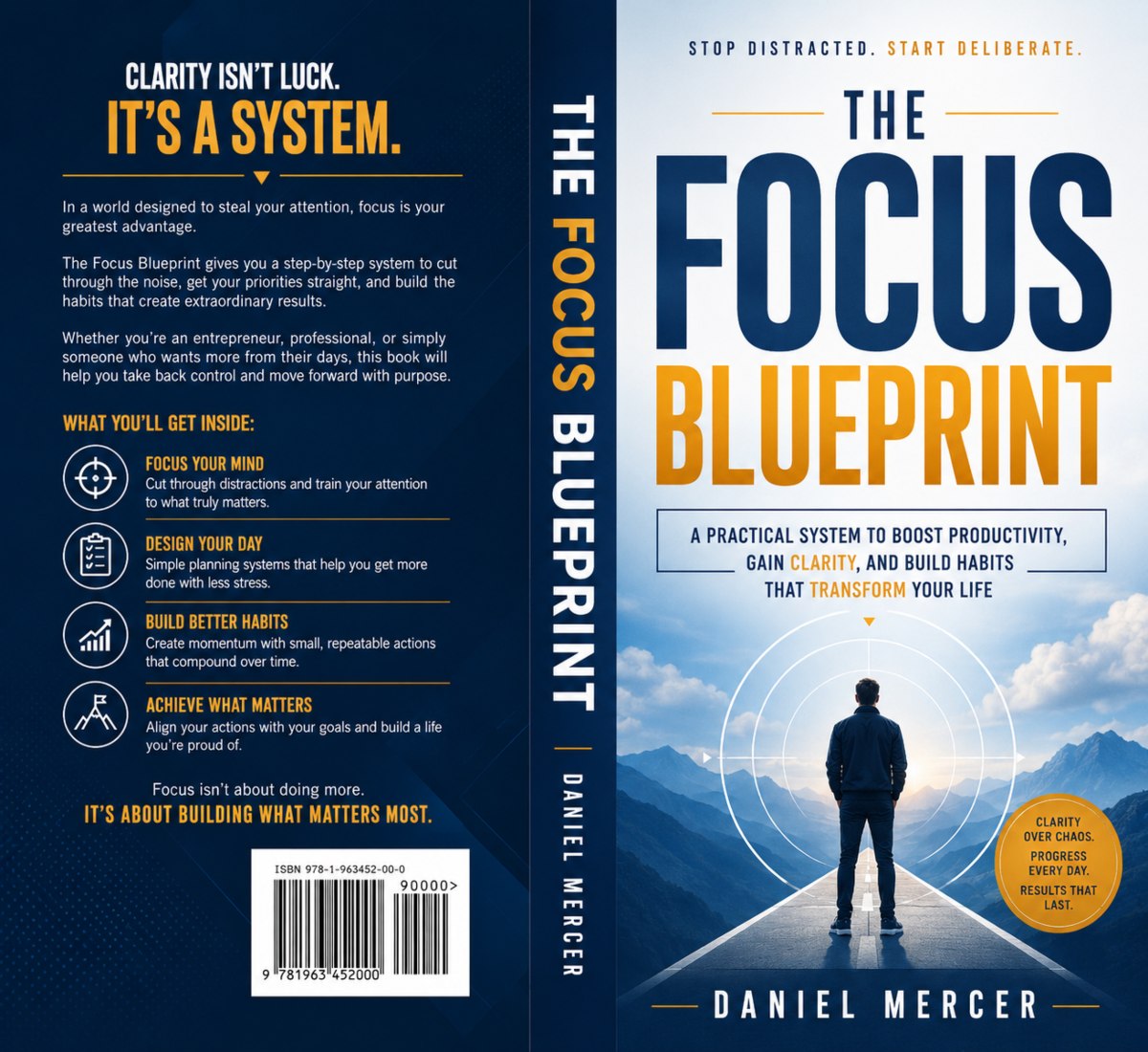
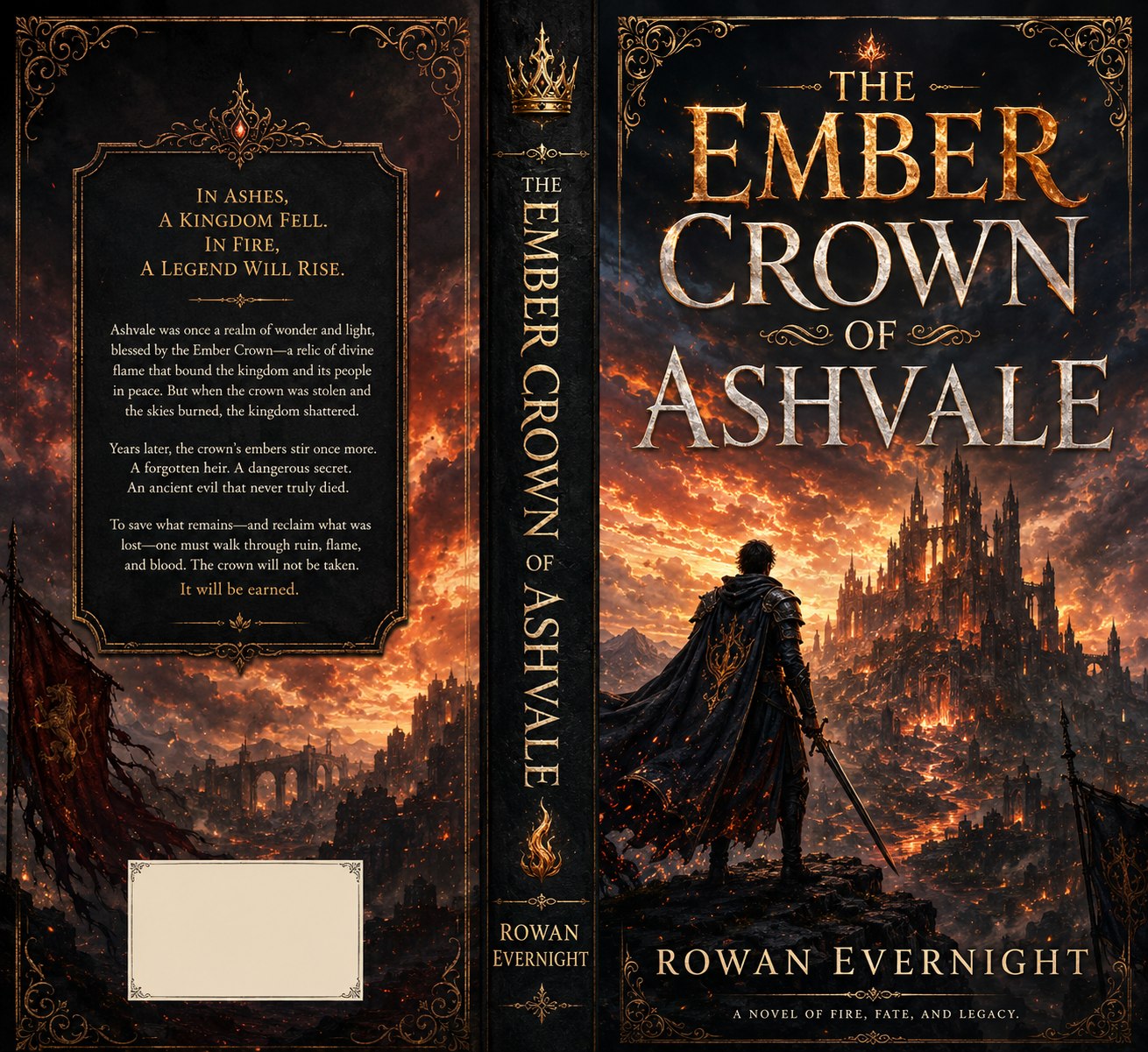







Stop rebuilding your paperback manually for Kindle
A paperback file is not the same as an eBook. Print pages, fixed margins, wrap covers, image placement, and PDF-style layouts can break when you move to Kindle. The KDP Magic paperback to ebook converter workflow helps clean up those conversion steps so your digital edition is easier to prepare.
Print margins do not behave like eBook screens
Paperback layouts use trim, bleed, page size, and fixed spacing. eBook readers need flexible text, cleaner headings, and device-friendly formatting.
Images need digital-friendly placement
Illustrations, diagrams, and chapter graphics must be checked so they remain readable across Kindle devices, tablets, and phones.
Your print cover needs an eBook version
A paperback wrap includes back cover and spine. The digital edition needs a clean front cover image sized for online storefronts.
Upload mistakes waste launch time
Wrong file structure, broken spacing, or mismatched cover assets can slow down publishing. KDP Magic helps you prepare before upload.
A paperback to ebook converter workflow built for real publishing tasks
Move from print edition to digital edition in a guided process. Keep your book structure organized, adapt content for eBook reading, and prepare a front cover that fits Kindle-style storefronts.
Upload your paperback assets
Start with your print book content, paperback cover, images, title details, and publishing information.
Clean print formatting
Remove print-only spacing, fixed layout problems, extra breaks, and formatting that can cause digital reading issues.
Generate eBook-ready assets
Create Kindle-friendly cover assets, content structure, metadata support, and export files for your next upload step.
Preview before publishing
Review readability, headings, image placement, and cover preview before sending your book to the platform.
Convert your print edition into a cleaner digital publishing package
KDP Magic focuses on the practical conversion work authors face after finishing a paperback. The page layout, cover format, image setup, and upload assets all need to match a digital selling workflow.
Content structure cleanup
Prepare chapters, headings, paragraphs, lists, and front matter for a better eBook reading flow.
Device-friendly preview
Check how your converted content may feel on smaller screens before you move to upload.
Cover adaptation
Turn paperback wrap artwork into a clean front cover for Kindle and digital storefronts.
Publishing checklist
Keep key conversion tasks organized so you do not miss cover, content, metadata, or image steps.
AI cleanup support
Use guided assistance to improve formatting clarity, text flow, description direction, and launch assets.
Export-ready workflow
Prepare the pieces you need for your Kindle upload without jumping between multiple design tools.

What you can prepare with KDP Magic
Use the paperback to ebook converter workflow to turn a print-focused project into a digital publishing package that is easier to review, refine, and upload.
Kindle-ready book structure
Prepare chapters, front matter, back matter, and sections for a smoother digital reading experience.
Digital front cover
Adapt your paperback cover wrap into an eBook cover image for Amazon KDP and other storefronts.
Review checklist
Check formatting, images, headings, links, table of contents, and upload details before publishing.
Launch assets
Generate mockups and promotional graphics to market your new Kindle edition after conversion.
From paperback cover wrap to digital storefront cover
Your print book and eBook should feel connected, but they need different assets. Use your paperback brand direction while creating a cleaner digital version for Kindle and other eBook stores.
Children’s book eBook edition
Adapt colorful print artwork into a clean digital cover and reader-friendly layout.

Nonfiction or workbook edition
Reshape structured paperback content into a simpler digital reading experience.

Fiction Kindle edition
Keep your cover branding consistent while preparing digital assets for faster launch.
Paperback formatting vs eBook conversion
The same book needs different technical treatment depending on how readers access it. KDP Magic helps you separate print requirements from digital publishing needs.
| Publishing area | Paperback edition | eBook edition | KDP Magic workflow |
|---|---|---|---|
| Cover | Full wrap with front, spine, and back | Single front cover image | Adapt print cover assets into digital storefront artwork |
| Layout | Fixed page size, margins, trim, and bleed | Flexible reading flow across devices | Clean print-only formatting and prepare digital structure |
| Images | Placed for fixed print pages | Must scale cleanly on screens | Review visuals for mobile, tablet, and Kindle readability |
| Upload goal | Print-ready PDF and wrap cover | Kindle-friendly content and cover assets | Guide conversion steps before publishing |
Paperback to eBook Converter FAQs
Use these answers to understand how the KDP Magic paperback to ebook converter workflow helps self-publishers prepare digital editions faster.
Ready to turn your paperback into a Kindle-ready eBook?
Use KDP Magic to adapt your print book assets, clean up the digital workflow, prepare your eBook cover, and launch your next edition faster.